Go and make disciples of all nations.

Live sermon translation for multilingual churches.

Your congregation listens on their own phones, in their own language. Built for Sunday morning.

Try it on last week's sermon tonight. $10 free credit, no card required.

One sermon, every language.

A Sunday with SermonLM, in 30 seconds.

Video transcript. A father and his daughter sit in church. The sermon is in English: "Thank you for being here this morning." He speaks Spanish, so he follows in Spanish on his phone: "Think of a little girl who falls asleep in her father's arms." His own phone. His own earphones. Nothing to download. The pastor says: "Today we talk about something we all need." AI translates and reads the sermon live. Or broadcast your own interpreter from anywhere. No extra gear. SermonLM: live sermon translation for your church. sermonlm.com.

Simple Setup. Plug and Play.

No transmitters. No headsets. Just a browser, internet, and either a mic or sound desk audio fed into a laptop.
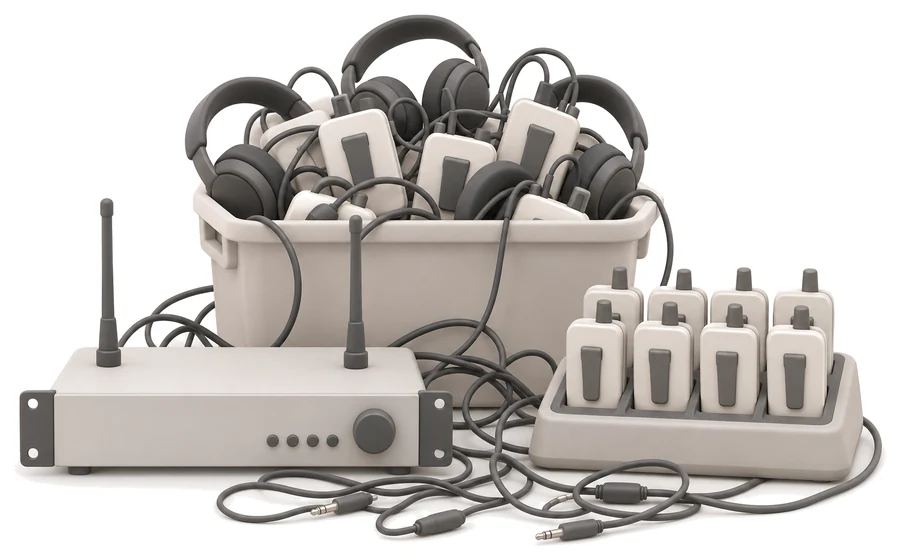
Old interpretation gear: a radio transmitter, a bin of receivers and headsets, a charging station and cables

Before

The old way

Gear

  • Radio transmitter
  • Receivers and headsets for every guest
  • Handing out every Sunday

People

  • Finding an interpreter for every language
  • Scheduling volunteers every week
  • One interpreter, no break for a long sermon

With SermonLM

One cable in. Every language out.

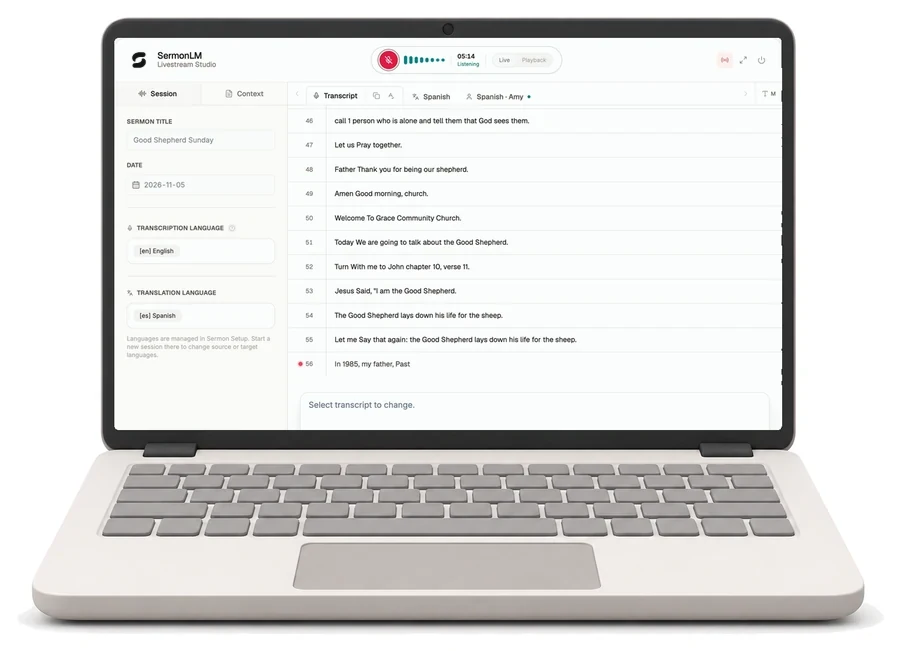
The pastor's mic goes into your sound mixer. One audio cable connects the mixer to a laptop running SermonLM in Chrome. Over the internet, each language takes one of two paths: an AI voice, or your own translator, who hears the pastor, reads the live text and speaks. Guests listen or read on their own phones.

Microphone
Pastor's micThe mic you use now
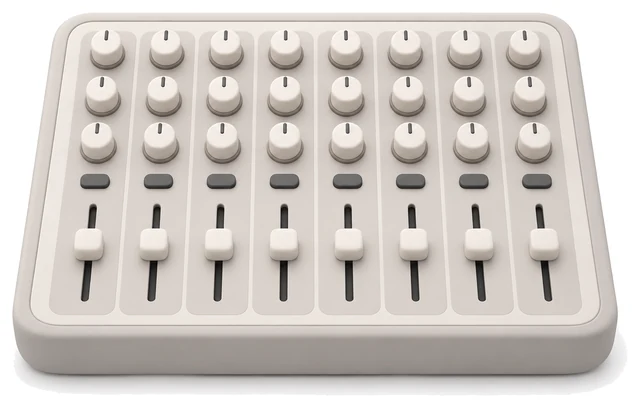
Sound mixer
Sound mixerYour sound board
Cable
Laptop running SermonLM Livestream Studio with the live English transcript
LaptopChrome + SermonLM
Internet
AI Voice
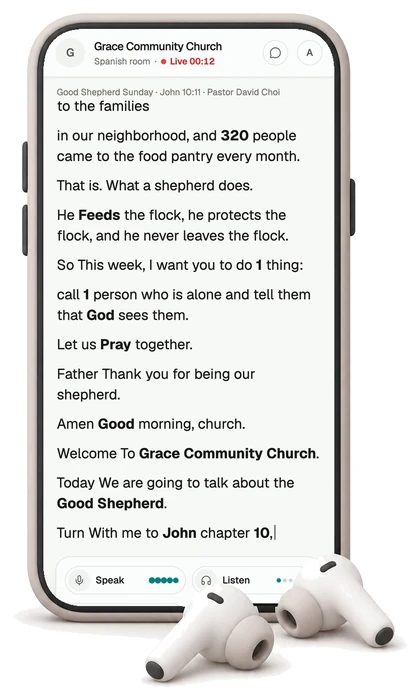
Translator phone in a Spanish room, live, showing the English transcript, with earbuds
Translator
Guest phone showing the live Spanish translation as it comes in
GuestsListen or read

What SermonLM does

Built to carry the whole sermon to every language in your church.

Your Bible, your terms

Pick the Bible version for each language, and add your church's own terms.

Made for sermons

Calibrated language by language, with church-language rules.

Meaning before speed

Waits for the pastor to finish a thought, making sure to catch the meaning and nuance first.

No extra gear, no app

No transmitters or headsets. Their own phone to read, their own earbuds to listen. Nothing to download.

Church Wi-Fi or phone data

Guests can follow on the church Wi-Fi or on their own phone data.

With or without an interpreter

Provide relief for your volunteer, or stand on its own.

Engineered for global reach.

Whether your church is small or large, each listener follows the sermon on their own phone, in their own language.

Multilingual Churches

Sunday services where every member participates fully, regardless of language. No interpreter scheduling, no awkward pauses.

EN
ES

Mission Teams

Share messages across barriers globally with minimal gear.

Massive Conferences

Multi-language support for massive outdoor gatherings. Attendees listen in their preferred language through their own devices as the message rolls out.

Core Features

Everything you need to translate sermons live.

Transcript
Korean
#OriginalKorean
16

"All things work together for good" — as Romans 8:28 tells us.

A real Bible text for quoted verses

When SermonLM finds a verse the pastor quotes, it uses a real Bible text as reference and keeps the pastor's own words.

SermonLM

The final destination of salvation is the New Jerusalem, and this city itself is a holy city.

When we look at the Book of Revelation, it describes the conditions that prevent one from entering this holy city.

There is only one condition for entering, and that is holiness.

However, the Bible mentions many conditions for those who cannot enter.

Natural AI voices

Human-sounding voices, including a warm style. No translator? No problem.

Or your own translator

Your translator signs in on their own device, hears the pastor, reads the live text, and speaks to guests from any location.

Scan at the door

Show your QR code on a screen or a printed sign at the entrance. Guests scan it to listen or read on their own phone. No app to download.

Supported Languages

Live translation powered by Scripture-aware AI.

English
한국어
Español
中文
Français
Deutsch
Italiano
Português
हिन्दी
日本語
Русский
Nederlands
עברית
العربية
Bahasa Indonesia
Tiếng Việt
Kiswahili
Tagalog
فارسی
Türkçe
اردو
বাংলা
मराठी
ગુજરાતી
ਪੰਜਾਬੀ (ਗੁਰਮੁਖੀ)
தமிழ்
తెలుగు
ಕನ್ನಡ
ไทย
Magyar
Polski
Українська
മലയാളം

Frequently Asked Questions

Common questions about SermonLM.

No. Guests scan a QR code or open a link, and SermonLM opens in the web browser on their phone, tablet, or computer.

Spoken words: sermons, prayers, Bible readings, and announcements. It does not work for hymns or worship songs, because sung words are hard to hear and translate. Press Pause recording during songs. Paused time does not count toward your hours.

It works best when the speaker is clear and close to the microphone. If the pastor mumbles, speaks away from the microphone, talks over music, or leaves sentences unfinished, the translation can be wrong or miss words. AI can make mistakes, so you can review and edit the translation afterward.

When SermonLM finds a verse the pastor quotes, it uses a real Bible text as reference and keeps the pastor's own words. Quote finding works today for English, Spanish, Korean and some other sermon languages. SermonLM also uses your church's glossary for names and terms.

Yes. Connect your sound mixer, or a good microphone, to your computer's audio input. SermonLM does the rest in the cloud.

Yes. Every sermon is saved. Read and search the transcript and each translation after the service, and download them as clean text, Word, or subtitles (.srt) for video.

Yes, a short one. Text appears a few seconds after the pastor speaks. AI voice follows a little later, because it needs the translated sentence first.

Start with $10 of free credit, with no card. That is about 60 minutes in 1 language, 30 in 2, or 20 in 3. After that, pay as you go with prepaid credit ($10 per translation hour), or choose a monthly plan: Standard $99 with 10 service hours, Premium $299 with 15, or Max $499 with 20. A service hour is 1 hour of your service, counted once for all your AI languages: a 1-hour service in 3 languages uses 1 service hour on a plan. On pay as you go it uses 3 translation hours ($30). Plans allow 3, 5 or 7 AI languages at once, and extra hours cost $8 for each language. Human interpreter rooms come at no extra charge with every monthly plan. See the Pricing page for details.

Audio and transcripts are encrypted in transit. We do not sell your personal information, and we do not use your content to train AI models. A few service providers (speech recognition, translation, AI voice, payments) process it for us. The Privacy Policy lists each one.

To run a sermon you need a laptop, tablet, or phone with an up-to-date browser (Chrome or Edge on a computer, Chrome on Android, Safari on iPhone and iPad; not a private window), a microphone or sound desk feed, and a stable internet connection (at least 5 Mbps upload). A laptop is the easiest to connect to a sound desk. Guests only need a phone or any device with a web browser.

SermonLM requires an internet connection for live transcription and translation. All completed sessions are saved and can be accessed later.

Yes. Your interpreter signs in as a Translator on their own device. They hear the pastor, read the live text, and speak. Guests who choose that language hear your interpreter, and other languages can use an AI voice. Your interpreter can work from any location, and a room does not count in your AI language limit. Interpreter rooms come at no extra charge with every monthly plan. They are not included with pay as you go or the free credit.